
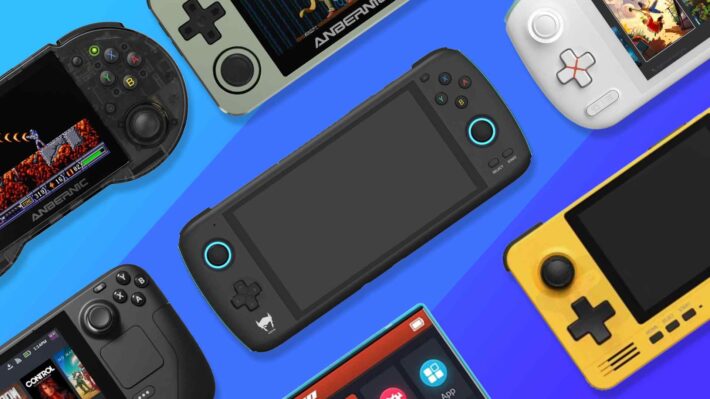
Emulators let you easily play classic games that were released a long time ago. Just as the Nintendo Switch ROMs free download service has made things easier for Nintendo game fans, emulators also play an essential role.
You no longer need any console as long as you have this emulator running on your laptop or PC.
Overview of Classic Game Emulator
If you miss classic games, you can look for an emulator to play them again right away without an official console. You can use your PC to run the emulator and play games from a comprehensive list. If you don’t already have cartridges, SD cards, or similar storage media containing the game list, you’ll need to download them first.
What Are the Best Emulators for Classic Gaming?
You should also know which emulators you can rely on to recapture that classic gaming experience. Here are some of them:
Snes9x
Are you an SNES player looking for a compatible emulator for your games? Snes9x could be the perfect choice. You don’t need to install any software to use this emulator.
Snes9x is a highly portable emulator with a small file size, yet it remains reliable for Nintendo players. You can adjust the graphics to suit your device or preferences. With just 2 MB, you can already enjoy a variety of exciting Nintendo games.
There are at least 10 slots players can use for quick saves. Snes9x also offers simultaneous loading and network play, so users can switch between games smoothly. You can choose the standard version of Snes9x or one with extra features.
If this is your first time trying Snes9x, it can be quite confusing because there are several versions. If you visit a Nintendo Switch ROMs free download website, you can find out which version of Snes9x is recommended.
PCSX2
PlayStation 2 games aren’t exactly retro, but they’re starting to become classics. PCSX2 is the most popular emulator for playing PS2 games. You can enjoy PS2 games at their best resolution on a PC and easily adjust the graphics.
The PS2 BIOS allows this emulator to run PS2 games smoothly. PCSX2’s comprehensive features include filtering, resolution settings, save states, plugins, and more. Users can enjoy high resolution (4096×4096), adjust texture filters, and use anti-aliasing features.
All these settings can be adjusted to enhance the game’s visuals, making them even better than what you’d experience on the console. Customize your mouse, keyboard, and controller to suit your gaming style.
Cemu
For Wii U users, Cemu is the emulator of choice. Nintendo’s Wii U was a cutting-edge breakthrough when it was first released globally, but it’s now considered a classic. You can enjoy games from that console with enhanced visuals.
You can easily achieve 4K resolution with this emulator, while few consoles can offer such high resolution. As a reliable emulator for the Wii U, Cemu provides comprehensive features including texture packs, custom resolutions, save states, and more.
Although it’s reliable for running many games, some may have issues, such as running slowly. The solution is to adjust the configuration to manage performance. For new users, the configuration in Cemu might be quite complex. You’ll also need a high-performance PC to play demanding Wii U games.
ePSXe
Play all your favorite PS (PlayStation) 1 games with ePSXe. This emulator is known for its compatibility, performance, and stability. It offers a full range of features, including cheat codes, if you want a different gaming experience. Using save states in ePSXe is convenient because it runs smoothly and offers many slots.
ePSXe can process both ISO files and physical CDs. You’ll need to adjust the settings during installation, at least for CD-ROM, video, and audio, to ensure the emulator’s performance meets your needs.
Project64
Another emulator for Nintendo users is Project64. It excels in resolution settings, integrated libraries, graphics customization, and game information. Its features are very comprehensive compared to other emulators, yet it remains easy to understand.
Project64 works well with joysticks/controllers and offers multiple save points. Customization in Project64 is fairly straightforward, but might not be as detailed as some others. Don’t forget to look for trusted sites to access Nintendo Switch ROMs free download. You can also find games other than Nintendo Switch titles there.
PPSSPP
This is the go-to emulator for PSP players. You can enjoy these console games with better quality using this emulator.Its features are comprehensive, including VSync, filters, anisotropic filtering, and more. Users can import games directly from a PSP, and it’s compatible with touchscreen systems.
RetroArch
Unlike other emulators built specifically for a single console, RetroArch supports multiple classic consoles. Users can customize their gaming experience with a simple interface. At a minimum, this emulator can run games from the Sega Genesis, SNES, and PlayStation 1.
So, which emulator interests you? If you want to use a Nintendo games emulator, look for access to Nintendo Switch ROMs free download. Download all your favorite retro games from that site and adjust the settings to suit your needs.